Movements#
This module contains functions for generating simulated movements. Two types of movement profiles are implemented: (a) minimum jerk profile, and (b) Gaussian movement profiles.
The detailed documentation of the movements module can be found here.
Minimum Jerk Trajectory (MJT)#
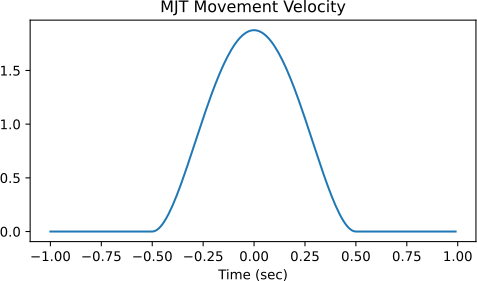
The MJT is the movement profile for a discrete movement from point A to point B, executed in \(T\) seconds, which has the minimum squared jerk computed over the duration of the movement[1]. The expression for the velocity of the minimum jerk profile implemented in the movements module is given by,
where \(v_{0}\) is the peak velocity, and \(t_0\) is the time at which the movement begins.
The movements module can be used to generate a MJT movement profile using the function mjt_discrete_movement. This function generates an MJT profile that is centred around the origin by default. The function returns the velocity profile by default.
>>> import numpy as np
>>> from monalysa import movements
>>> t = np.arange(-1, 1, 0.01)
>>> move = movements.mjt_discrete_movement(time=t)
>>> # Plot the generated Gaussian movement.
>>> fig = plt.figure(figsize=(6, 3))
>>> plt.plot(t, move)
>>> plt.title("MJT Movement Velocity");
Gaussian Profile#
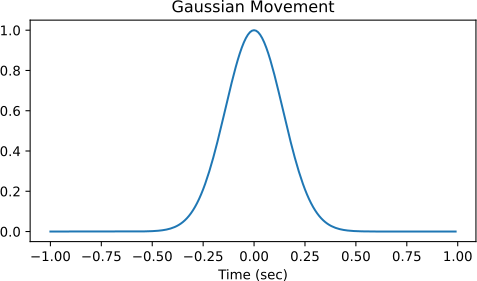
The Gaussian trajectory profile is also often used as a reasonable approximation of a healthy movement profile for discrete movements. The Gaussian velocity profile implemented in the movements module is given by,
where \(v_{0}\) is the peak velocity, and \(t_0\) is the time at which the movement begins.
>>> import numpy as np
>>> from monalysa import movements
>>> t = np.arange(-1, 1, 0.01)
>>> move = movements.gaussian_discrete_movement(time=t)
>>> # Plot the generated Gaussian movement.
>>> fig = plt.figure(figsize=(6, 3))
>>> plt.plot(t, move)
>>> plt.title("Gaussian Movement Velocity");
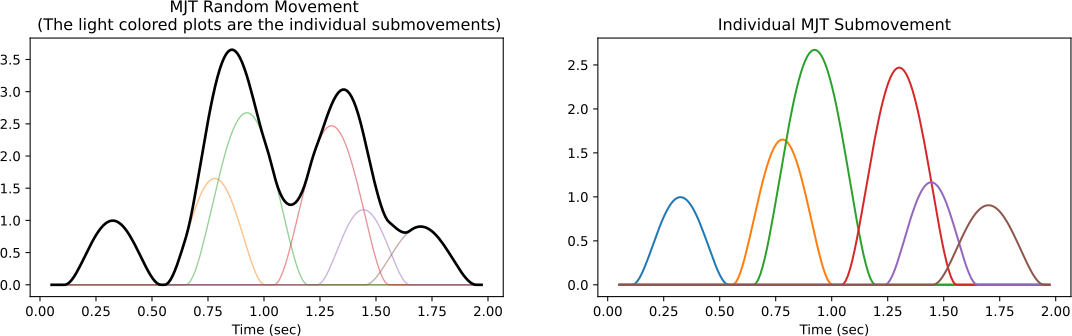
The module also supports the generation of more complex velocity profiles using the MJT or the Gaussian profile as a submovement. The following code snippet shows how to generate a random velocity profile using the MJT as a submovement.
>>> time, move, submove = movements.generate_random_movement(move_type='mjt')
>>> fig = plt.figure(figsize=(14, 3.5))
>>> ax = fig.add_subplot(121)
>>> ax.plot(time, submove.T, lw=1, alpha=0.5)
>>> ax.plot(time, move, color="k", lw=2)
>>> ax.set_xlabel("Time (sec)")
>>> ax.set_title("MJT Random Movement \n (The light colored plots are the individual submovements)");
>>> ax = fig.add_subplot(122)
>>> ax.plot(time, submove.T)
>>> ax.set_xlabel("Time (sec)")
>>> ax.set_title("Individual MJT Submovement");
References